
 Android
Galaxy eSIM Post-Use Guide
Clean up eSIM after returning home
Please check before deletion!
- 1.Please delete only after the usage period expires and you return home. (Reinstallation not possible)
- 2.After landing, turn off airplane mode to connect to your original carrier plan.
Part 1
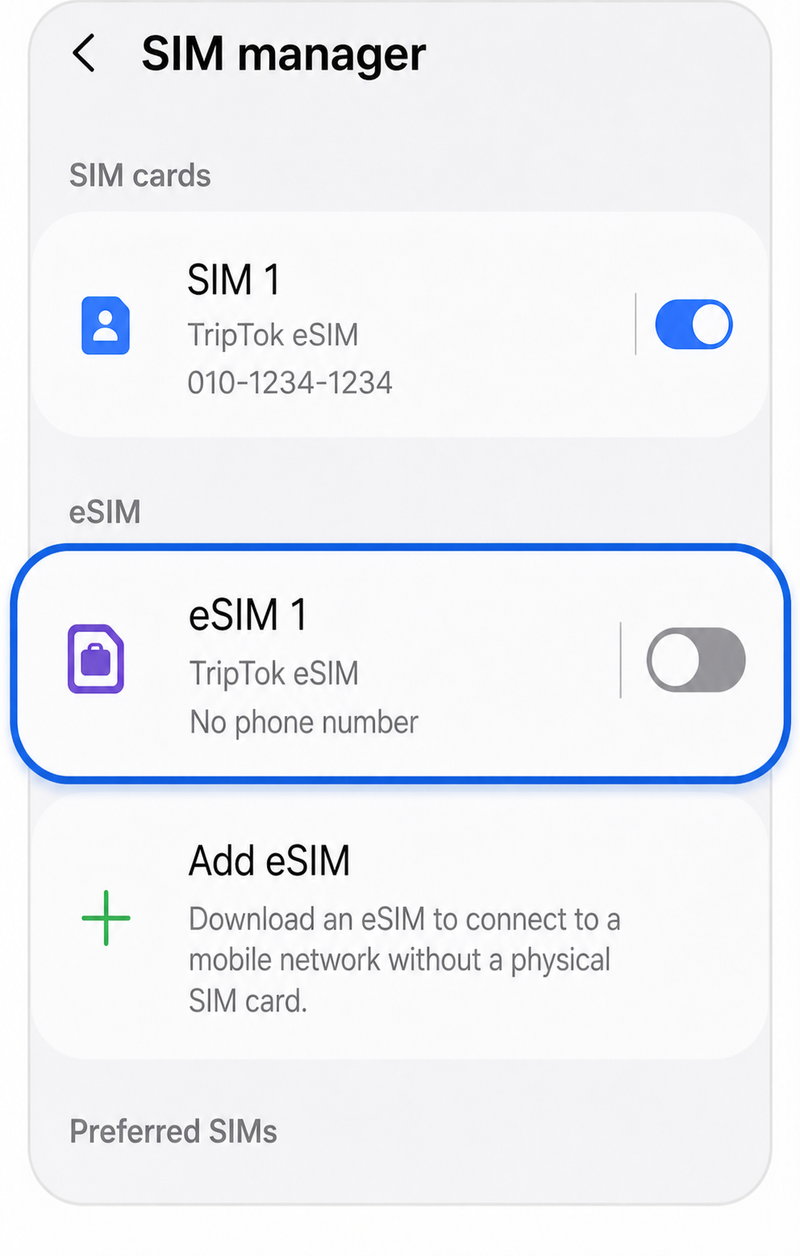
Deactivate eSIM
Step 1.
Settings > Connections > SIM Manager > eSIM 'OFF'
tip
How to connect to domestic carrier plan
✅ If main line (existing SIM) is ON: Connects automatically
✅ If main line (existing SIM) is OFF: Turn main line (existing SIM) 'ON'
Part 2
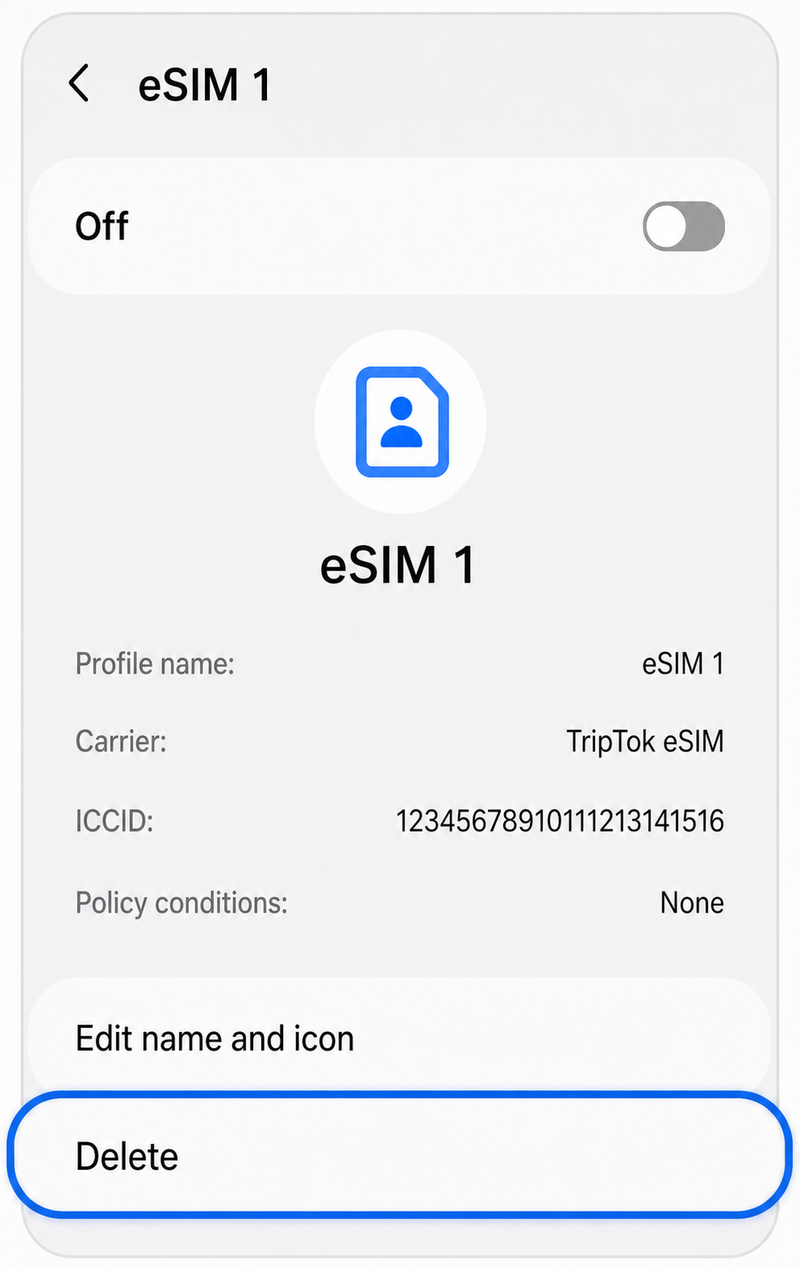
Delete eSIM (Optional)
Step 1.
Select eSIM Plan > Select 'Delete'
Warning
Once deleted, eSIM cannot be reinstalled. If you plan to extend the product, it is recommended not to delete it.
Part 3
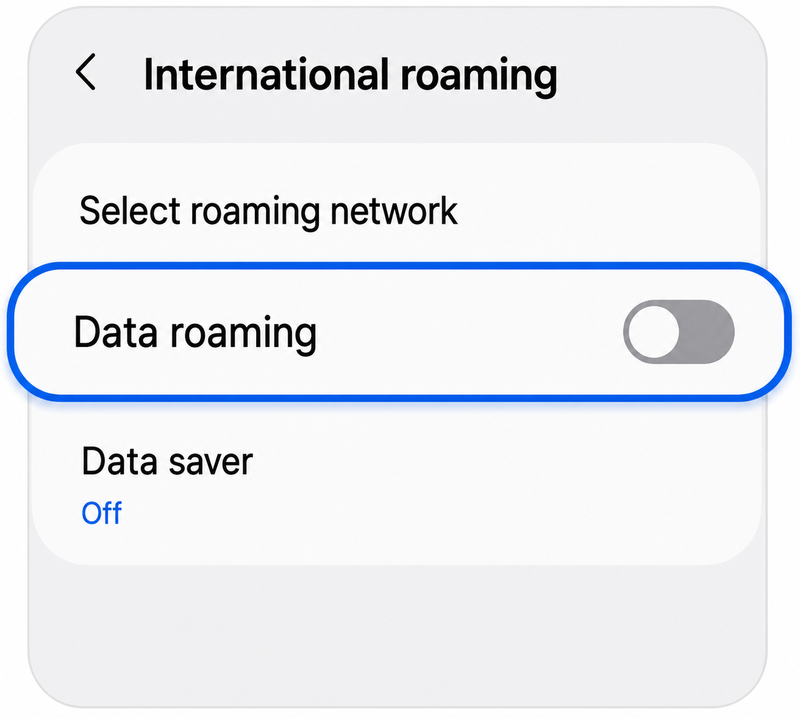
Disable Data Roaming
Step 1.
Settings > Connections > International Roaming > Data Roaming 'OFF'
Cleanup is complete!
See you on your next trip