
 Android
eSIM Activation Guide After Arrival
Once you arrive at your destination, activate your eSIM!
Video Guide
Part 1
Activate eSIM After Arrival
Step 1.
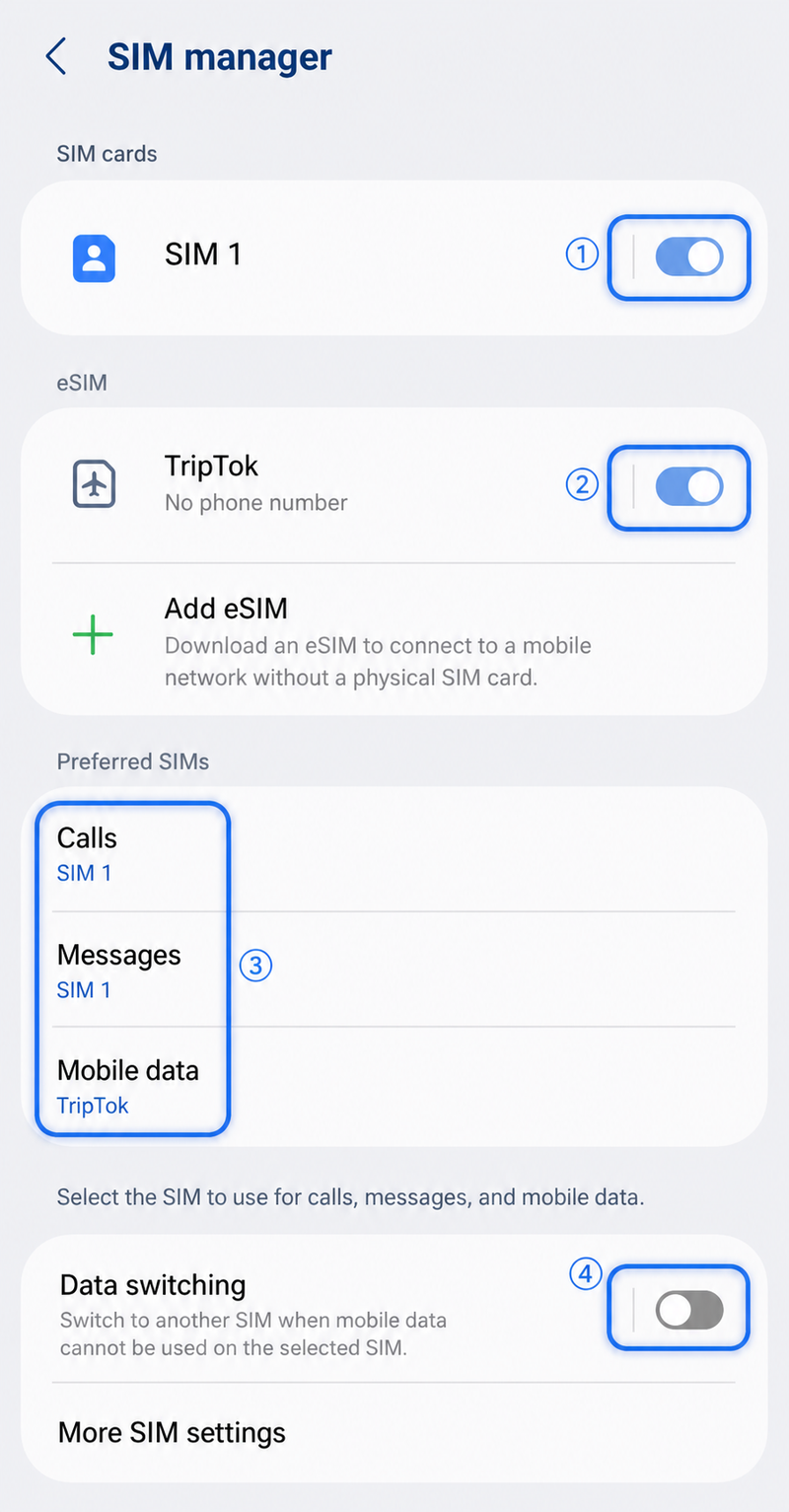
Go to [Settings] > [Connections] > [SIM Manager].
If you already activated and installed the eSIM at home, set it up exactly as shown below.
①: Keep your domestic main SIM turned on.
②: Turn on the eSIM installed from TripTok.
③: Set Calls, Messages > domestic main SIM, Mobile Data > TripTok eSIM.
④: Turn off data switching.
tip
Data switching is a feature that switches to another SIM when data is unavailable.
Step 2.
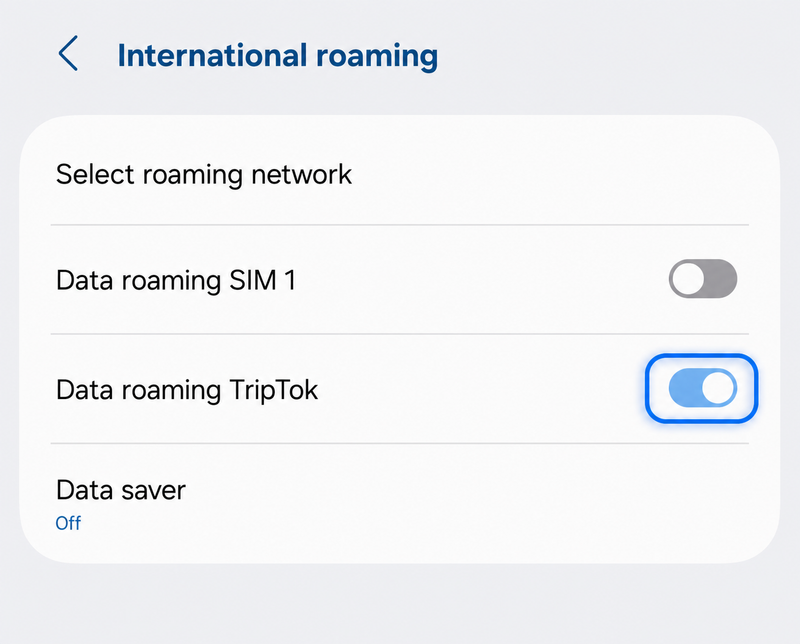
Next, go to [Settings] > [Connections] > [International Roaming].
Turn on data roaming for TripTok.
Part 2
Final eSIM Activation Check
If you can see two signal bars as shown below, your eSIM activation for a great trip is all set!
Step 1.

eSIM installation is complete!
Have a safe and enjoyable trip