How to answer calls to your Korean 010 number in the TripTok app while abroad, by carrier.
1
About
Call forwarding is a carrier add-on that sends calls to your 010 number to another number. Forward them to the 070 number TripTok gives you, and you can answer your 010 calls in the TripTok app from anywhere.
Friends and family call your 010 number as usual.
The TripTok app rings whenever you have Wi-Fi or data.
Only calls are forwarded. Texts are not.
Free with an unlimited eSIM (until the day after the eSIM expires). Otherwise, 5,000 credits to start and 5,000 credits every 30 days.
Forwarded calls don't use your TripTok credits or free call minutes.
Your carrier charges separately for the call forwarding add-on. It keeps billing every month until you cancel it.
2
Before you start
Do these steps in Korea before you leave.
1
Install the TripTok appForwarded calls can only be answered in the app.
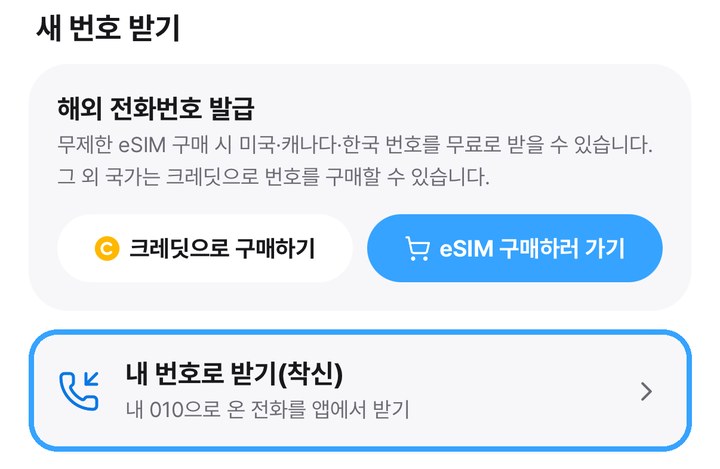
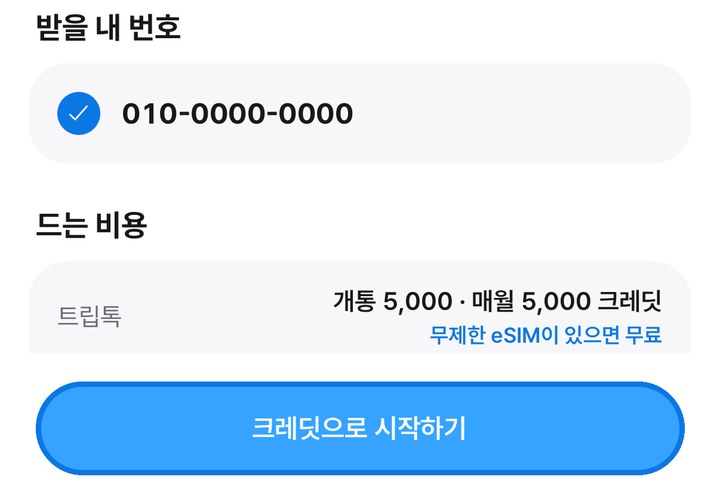
Start Get Calls to Your Number in the appGo to the [Phone] tab › [Get a number] › [Receive on My Number]. Verify your 010 number by text with [Verify a number], then tap [Start for free] (with an unlimited eSIM) or [Start with credits]. This menu shows when the app language is set to Korean.
Tap [Receive on My Number]Check your 010 number and tap the start button. Free with an unlimited eSIM
3
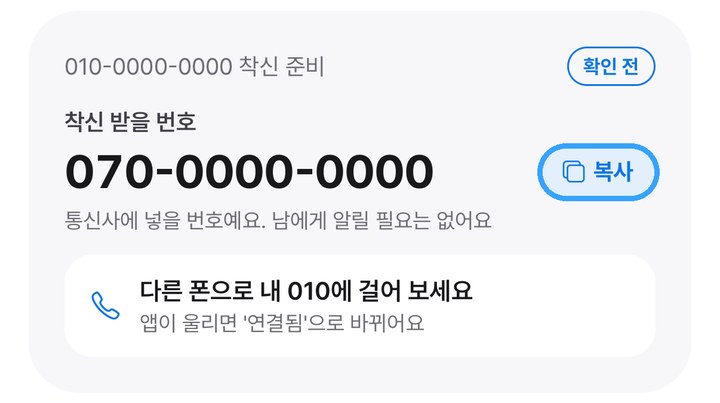
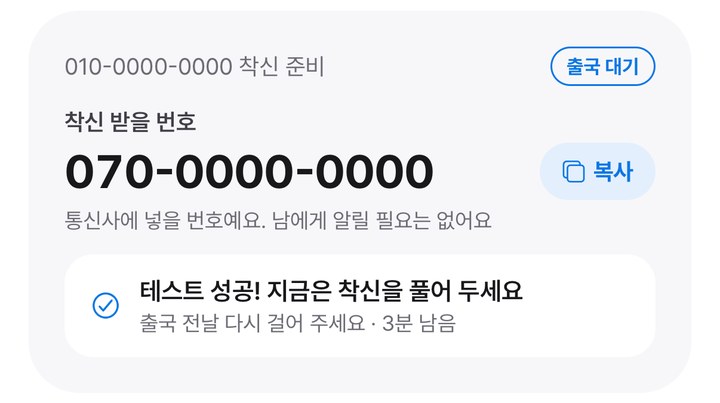
Check your 070 forwarding numberAfter you verify your 010 and tap [Start for free] or [Start with credits], the app shows the 070 number to forward to. You enter it with your carrier, so there's no need to share it. It is not the app phone number you get from [Get a local number], and you don't need an app phone number for forwarding. Calling this number directly will not connect.
Tap [Copy] to copy the 070 number
4
Subscribe to your carrier's call forwarding add-onSign up for a calls-only plan. With a calls-and-texts plan, texts may not reach your phone or the app.
LG U+ · 착신전환(통화만), calls only770 KRW/month · 270 min free
3
Setup by carrier
Choose the carrier of your 010 number. MVNOs follow the network they use.
1
Subscribe to the call forwarding add-onApply for the 착신전환(Voice only) (call forwarding, calls only) service in the T world app, by calling 114 from your SKT phone, or at an SKT store.Apply on T world
2
Dial from your 010 phoneDial *71 followed by the 070 number shown in the app, then press call. You're done when you hear the tone.
*71 + 070 numberPress call · Turn off *73
3
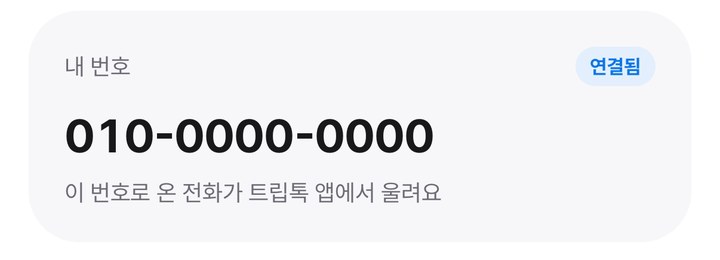
Call your 010 number from another phoneIf the TripTok app rings, you're connected. The app screen changes to 'Connected'. If you're testing before departure, it keeps showing 'Before departure' and shows a 'Test passed!' message. Calling the 070 number directly will not connect, so be sure to call your 010 from another phone.
This is how it looks once connected
Set it up and test it in Korea before you leave.
The *71 and *73 codes only work in Korea. You can't change forwarding from abroad, so finish it before you leave.
After 270 minutes, forwarding stops. Lift the limit via 114 to keep using it at 1.98 KRW per second.
If you set it up earlyIf you started with an unlimited eSIM that isn't activated yet, it shows 'Before departure' and connects for only 5 minutes in total, including ringing time. After that, callers are cut off without any message, so turn forwarding off after testing and set it again the day before you leave.
After the test, the app reminds you to turn forwarding off for now
4
After you return
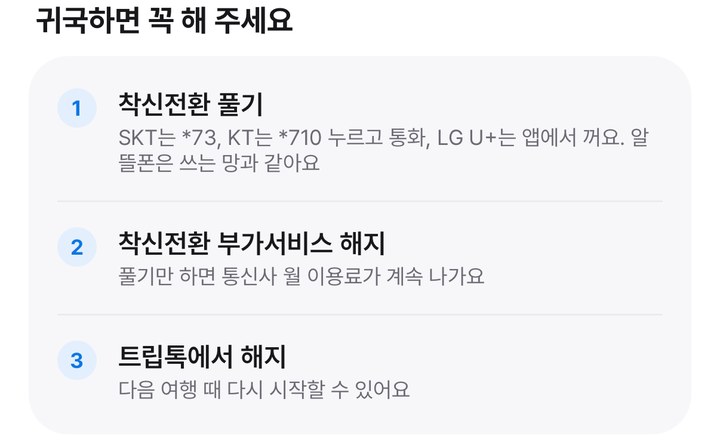
When you get back, do these three things. If forwarding stays on after your TripTok service ends, you can't receive calls to your 010.
The Connected screen in the app also shows what to do after you return
1
Turn off call forwardingSKT: dial *73, KT: dial *710 and press call. LG U+: turn it off in the app. MVNOs follow their network.
2
Cancel the call forwarding add-onIf you only turn it off, your carrier keeps charging the monthly fee.
3
Cancel it in TripTokIf you started with credits, 5,000 credits are charged every 30 days until you cancel. Canceling doesn't refund the remaining period, and starting again costs the setup credits again. Free use with an unlimited eSIM ends automatically the day after the eSIM expires.
5
FAQ
6
Good to know
Enter the full forwarding number, starting with 070.
Forwarded calls use the minutes included in your carrier's call forwarding service. Beyond that, extra charges apply or forwarding stops, depending on the carrier. Callers pay their usual rate.
Calls about banking, payments, or identity verification may not be forwarded due to carrier policy.
Some plans do not support call forwarding.
Turning it off doesn't cancel the add-on. The monthly fee continues until you cancel.