
Common
Unlock Country Lock
How to unlock country lock for overseas eSIM use
Country Lock Information
- 1.Country lock restricts the phone to domestic use only. iPhones and phones purchased overseas must check country lock settings.
- 2.[iPhone] Contact Apple Support: 080-333-4000 (IMEI information is required when contacting Apple Support. Please check using the methods below before calling.)
- 3.[Android] Contact carrier: Dial 114 from your phone
Part 1
iPhone IMEI Check Method 1
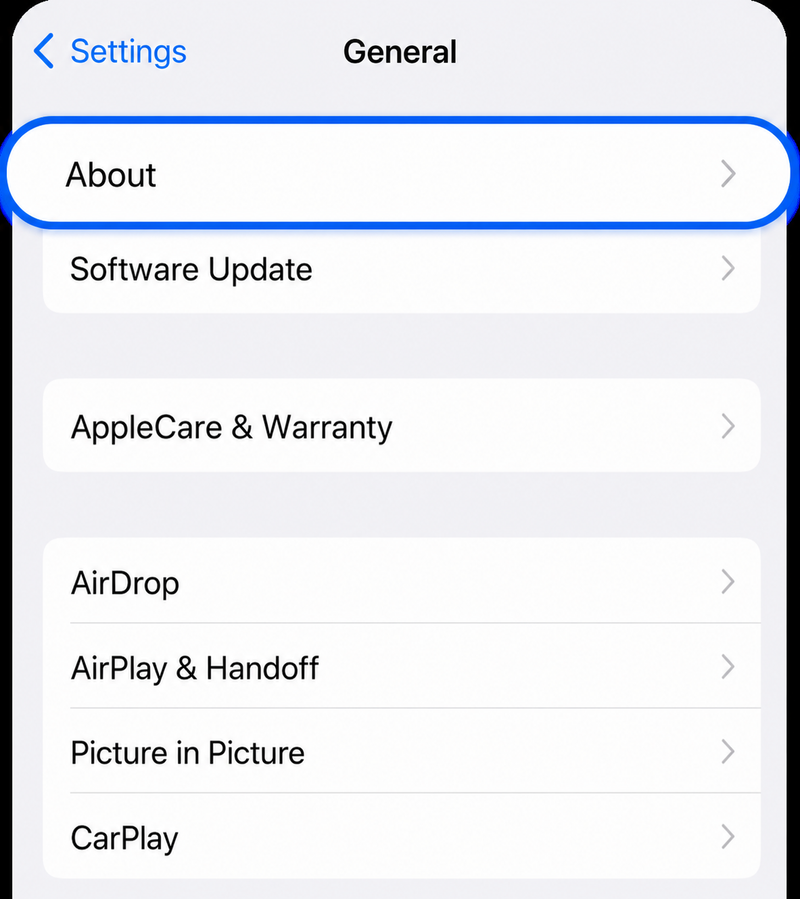
Step 1.
Settings > General > Select 'About'
Select About from the General menu in Settings
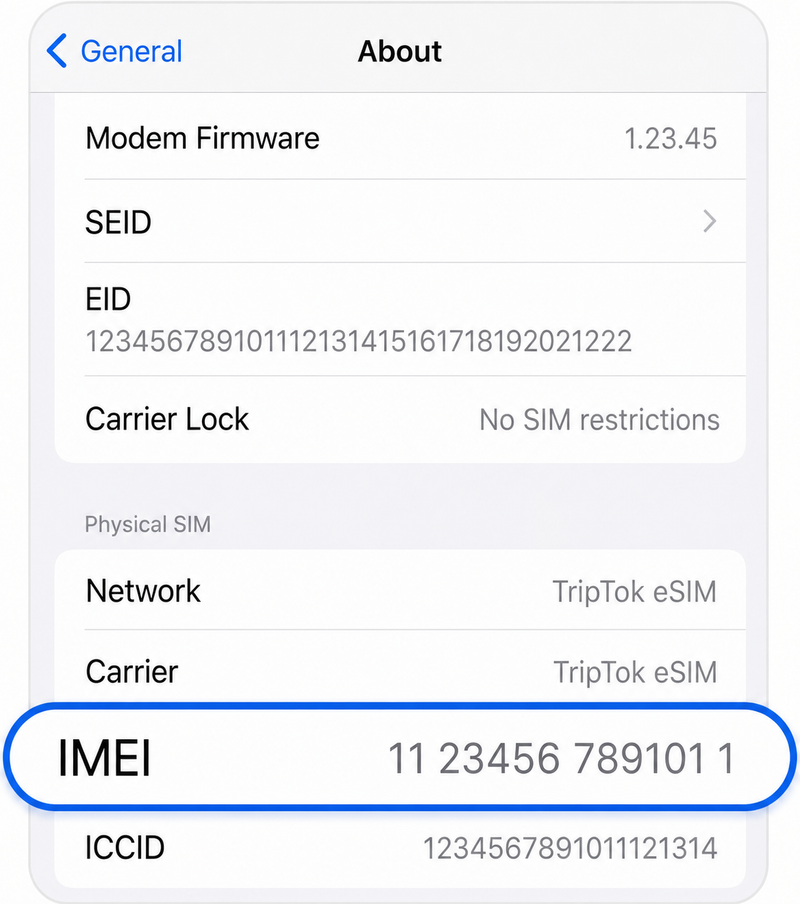
Step 2.
Check 'IMEI' at the bottom
Scroll down to find the IMEI number
Part 2
iPhone IMEI Check Method 2
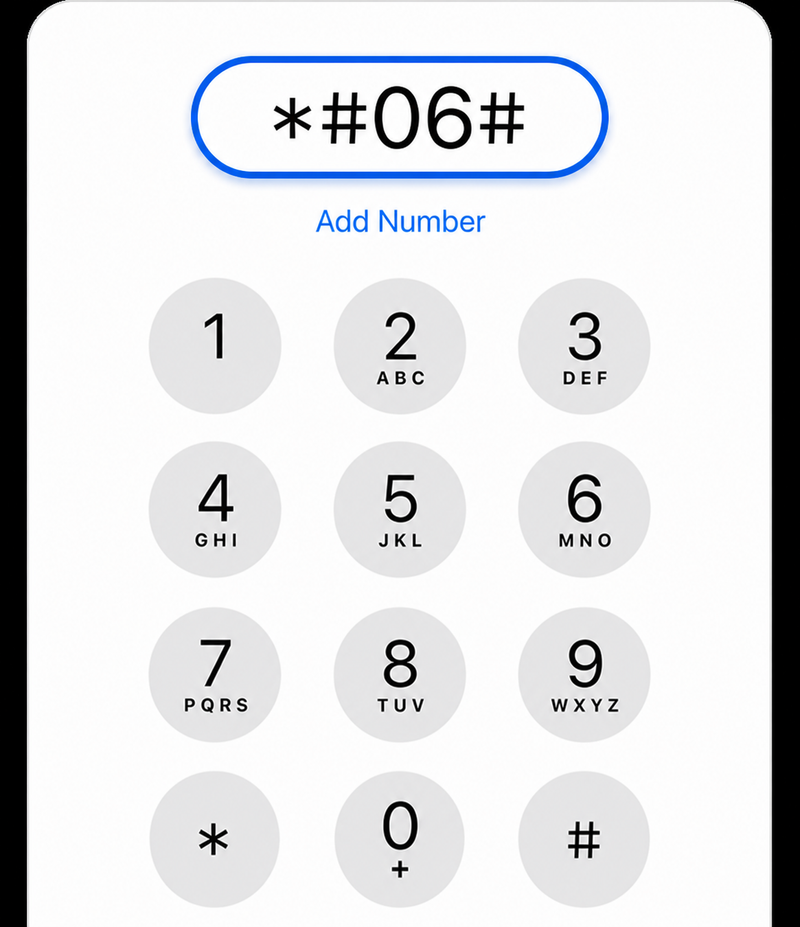
Step 1.
Phone > Enter '*#06#'
Enter *#06# in the Phone app
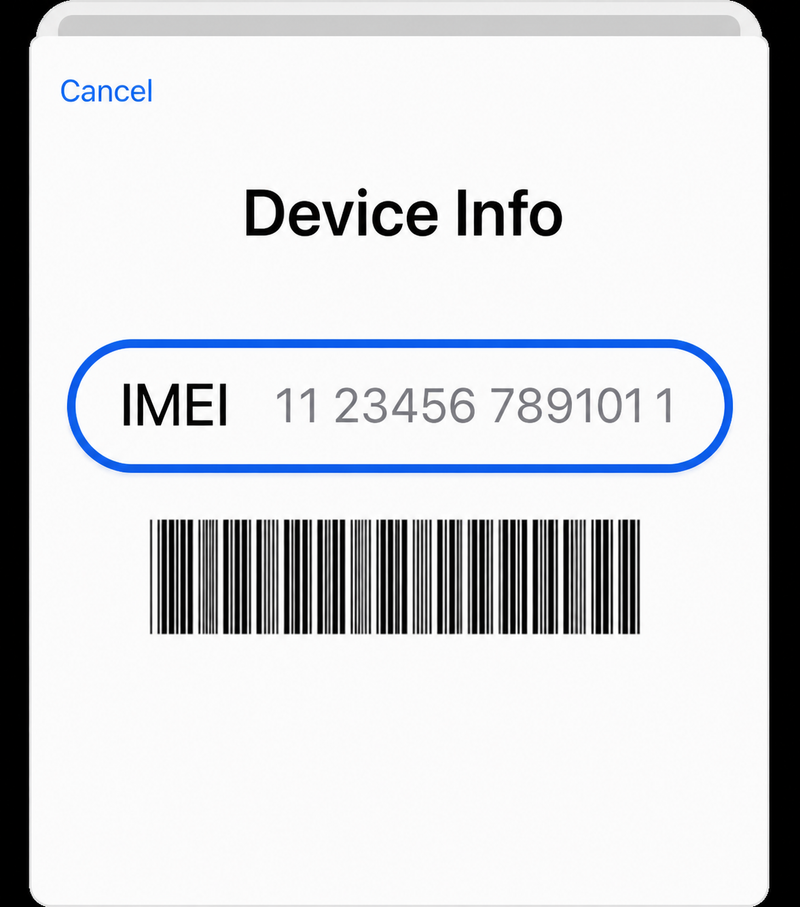
Step 2.
Check 'IMEI'
Check the IMEI number displayed on screen
If you have questions about country lock removal, please contact customer support.
Contact Support