
 iOS
iOSiPhone eSIM Deletion Guide
Clean up eSIM after use
Please check before deletion!
- 1.Please delete only after the usage period expires and you return home. (Reinstallation not possible)
- 2.After landing, turn off airplane mode to connect to your original carrier plan.
Part 1
Deactivate eSIM
Step 1.
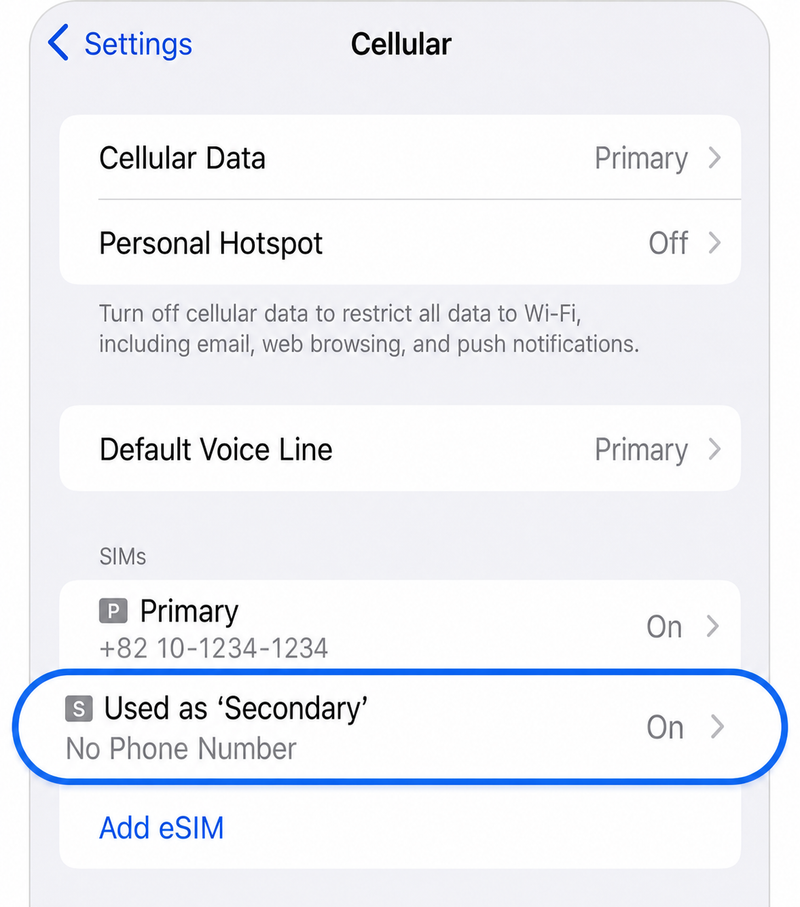
Settings > Cellular > Select eSIM Plan
Select the eSIM plan you were using
Step 2.
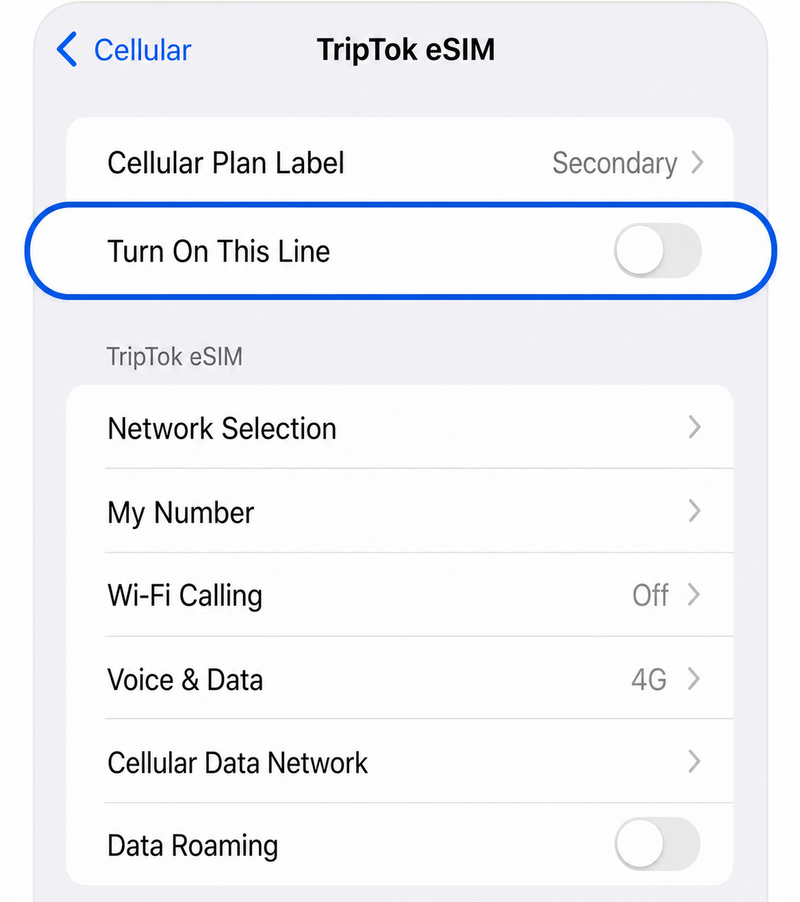
Turn this line 'OFF'
Deactivate the eSIM line
tip
How to connect to domestic carrier plan
If main line (original SIM) is on: Automatically connected
If main line (original SIM) is off: Select main line and turn 'This line' ON
Part 2
Delete eSIM (Optional)
Step 1.
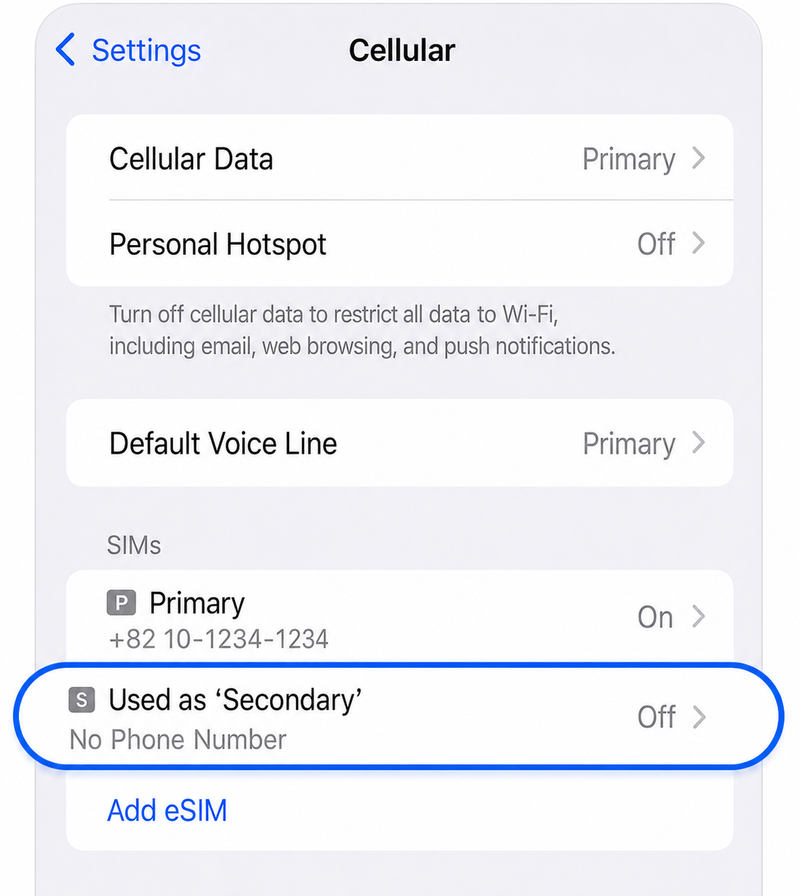
Settings > Cellular > Select 'Off' eSIM Plan
Select the deactivated eSIM plan
Step 2.
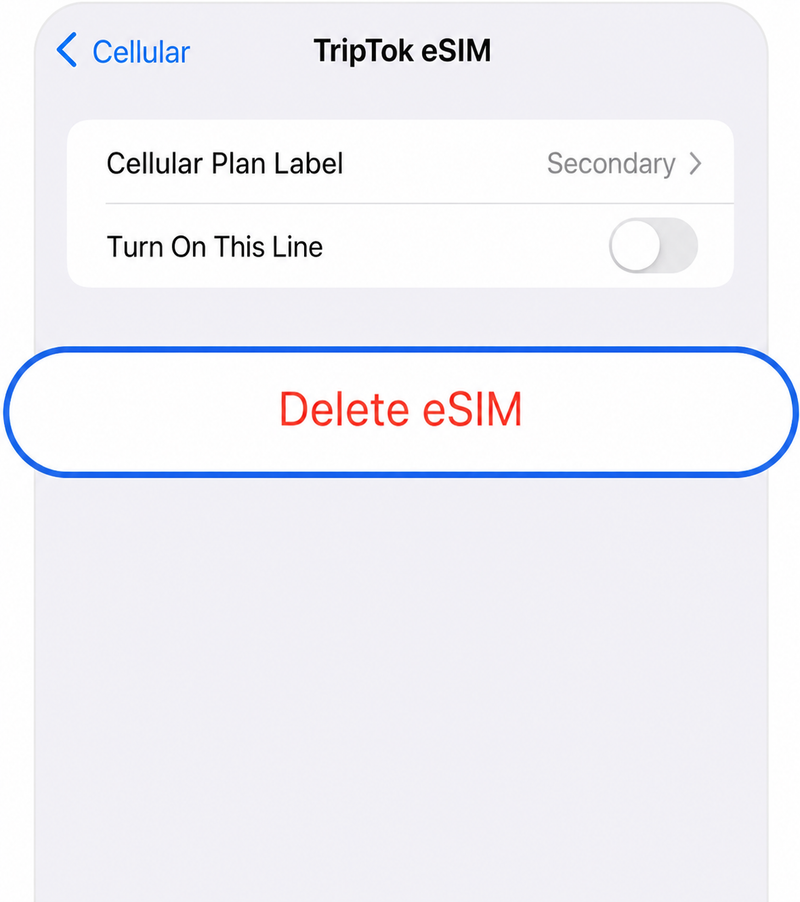
Select 'Delete eSIM'
Select the Delete eSIM button at the bottom
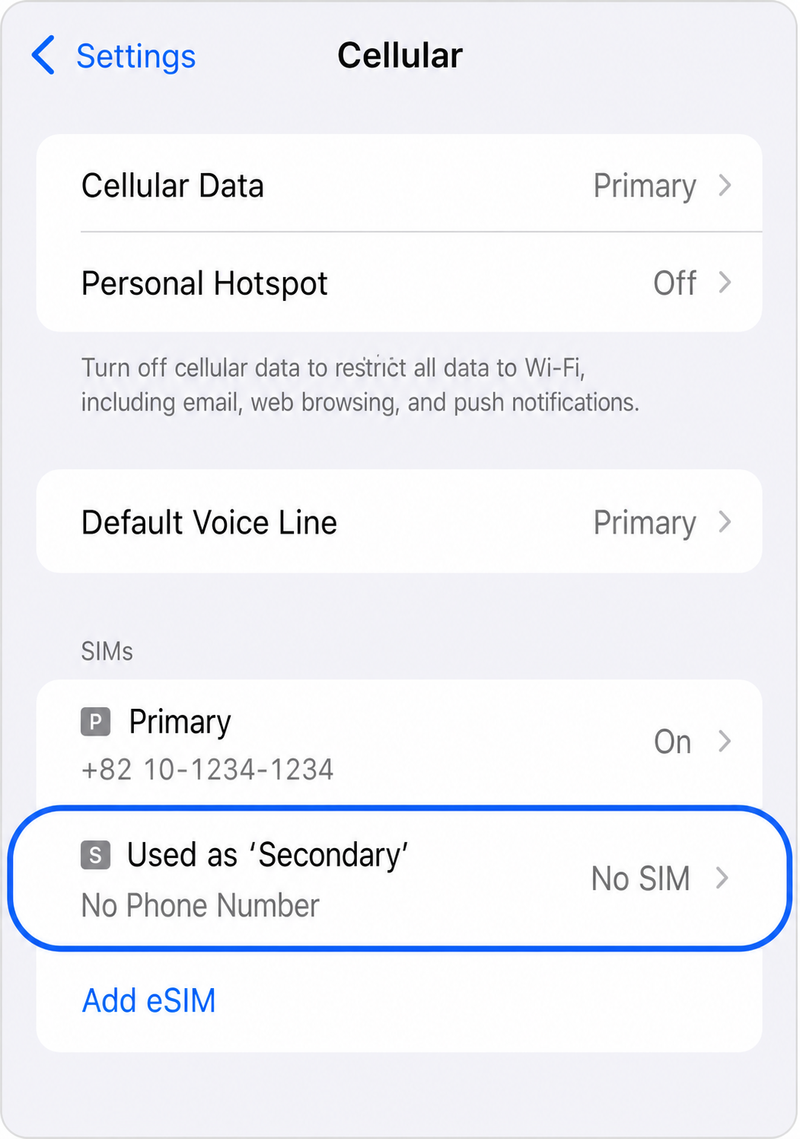
Step 3.
Settings > Cellular > Select 'No SIM' Plan
Verify the deleted eSIM plan
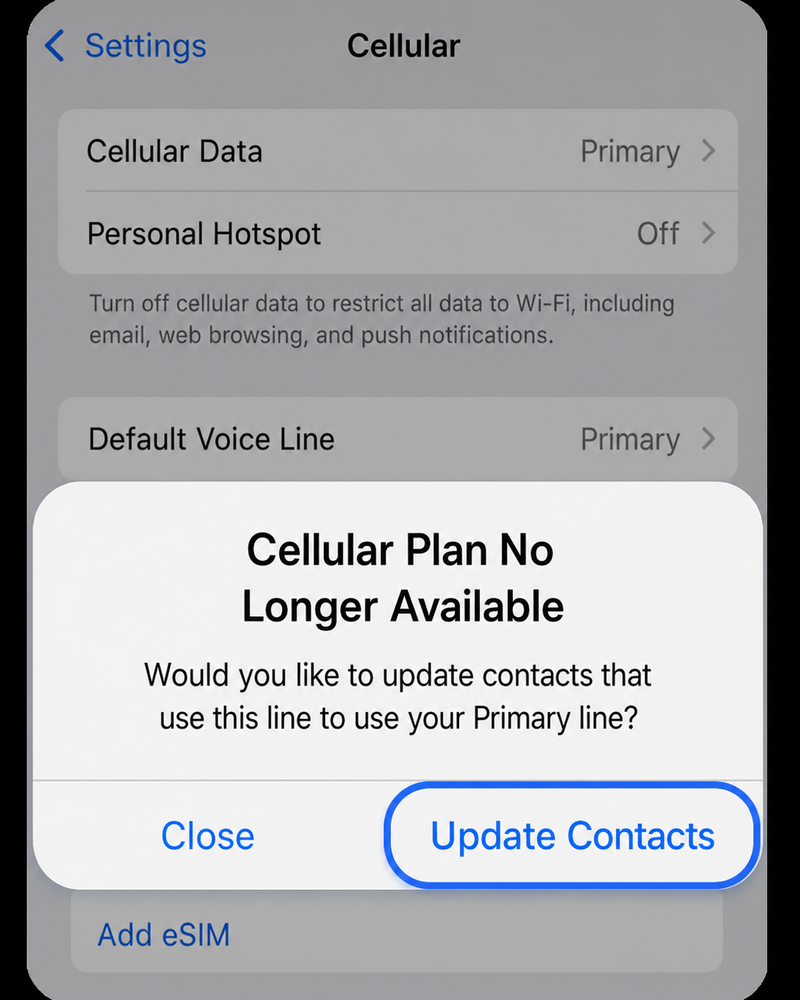
Step 4.
Select 'Update Contacts'
Transfer contacts from eSIM to main line
tip
When you select Update Contacts
Contacts from eSIM will be moved to main line (original SIM), then eSIM will be deleted
eSIM cleanup is complete!
See you on your next trip